
Goals #
Artfight is an annual art gifting competition, where participants score points against each other by creating art of their opponent’s character designs. I had a go last year, but I chafed a bit against the restrictions of the website. They have strict file size limits, to keep server costs down, but it makes it hard to showcase turnaround renders of 3D models.
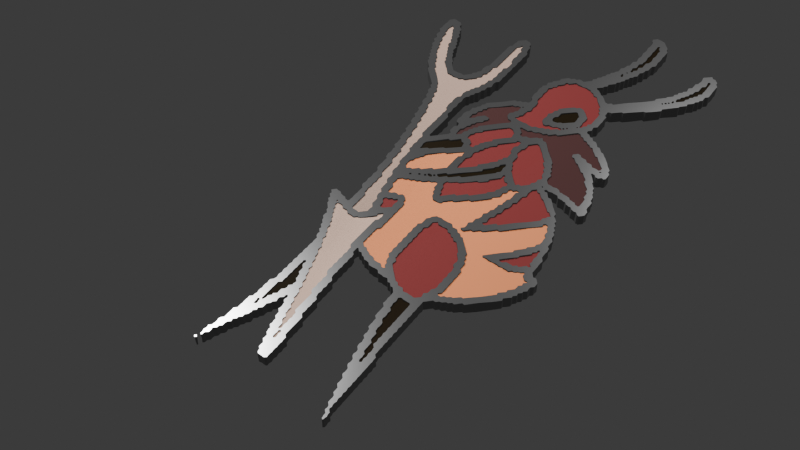
My solution to this (for this year, at least), was to create a blender extension focused towards making single high-quality renders. The demographic of the Artfight community tend to be fans of pins, keychains and the like, so I thought it would be a fun gift to make renders of hypothetical merch of the character.
Hopefully, I could then encourage people to have a go at using the tool themselves, and get some feedback that way!
Technical Implementation #
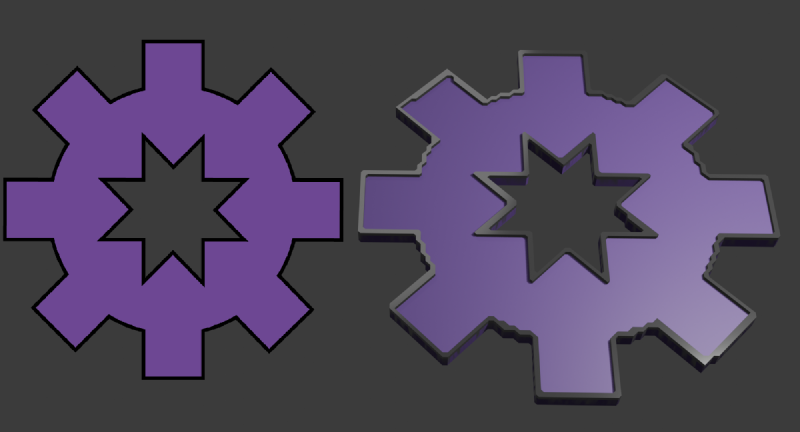
The script is an implementation of the Marching Squares algorithm, which I hoped would counteract some of the problems I had with a previous similar project, my spinning ornament generator. I was often frustrated with the edges of the models for that project, which came out very jagged. That wasn’t so much of a problem if you massively increase the resolution, but that naturally increases generation time.
Marching squares smooths out those edges, although it still has some square-like artifacts at the edges.
My Opinions #
Blender’s mesh editing library has many more features than USD, with very useful functions from the editor’s operators, like Merge By Distance and Extrude.
This makes complex procedural operations much simpler, but correctly hooking into the api and user interface took me a while to get my head around. I didn’t have the experience with this kind of structure to just read the documentation and understand it, so I was also looking at forums, whose search results were complicated by the decades-long history of Blender.
I feel much more confident with it now though, and I wish I’d looked closer at Blender’s in-program examples, which cover many different kinds of boilerplate.
Conclusion - For now #
When I uploaded it to the Blender Extensions site, I was rejected on the basis of poor code architecture and not following best practices.
It was a surprise at first, but on reflection, I hadn’t thought about or properly researched the standards and guidelines for the website. This isn’t just an itch.io game jam or a personal upload, these communities have a standard above the code simply functioning, and they don’t expect uploads to have been made under time limits. In my rush I had definitely let my own quality slip.
I’m going to take a break from the project for a month or two, and then come back to it with fresh eyes to bring it up to snuff. Watch this space!